Resource filters
Filter wood, ore, fiber, hide, and stone by tier and enchantment.
- Separate gathering nodes and resource creatures
- Hide the resource types you do not need
AOVision 1.2.5 · Windows
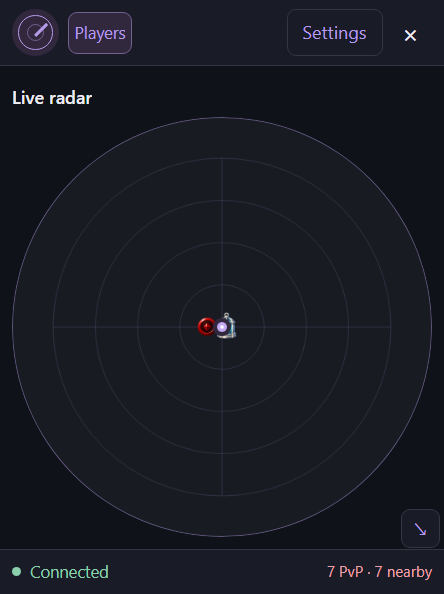
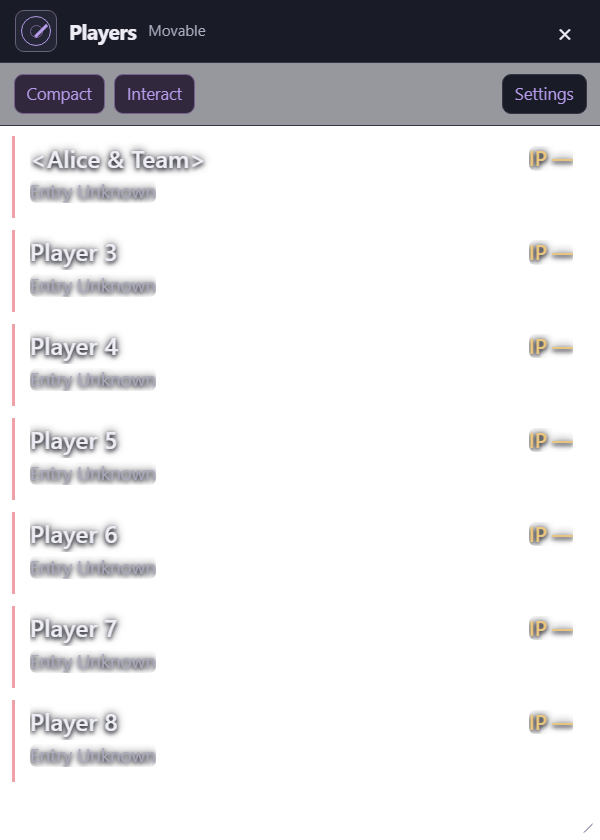
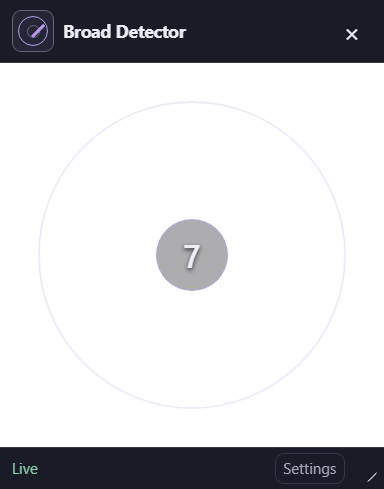
Separate Radar, Players, and Broad Player Detector windows for Albion Online. Choose what you see, arrange each overlay, and save your setup.
Windows 10 / 11 · 64-bit · Internet required
Inside the workspace
Keep your radar, player list, and detector in separate windows. Shared settings and filters keep the information consistent across your workspace.
Filter wood, ore, fiber, hide, and stone by tier and enchantment.
Choose which supported creatures appear in your overlay.
Display markers for supported locations and objects.
Use a compact list for names and item power, or switch to Detailed mode for available guild, mounted status, health, and reported equipment.
See a live count of players matching your visibility filters. Choose sound alerts and brief Detector flashes by player category.
Move and resize Radar, Players, and Broad Player Detector independently, with one shared Settings window.
Displayed information depends on available game traffic. Exact player positions and distances are unavailable. Experimental Detector arrival directions are estimates, not live tracking; mounted accuracy remains unvalidated.
Base gear IP estimates exclude item quality, specialization, and overcharge. Inspecting a player in Albion can temporarily provide the game’s reported average IP.
Planned subscriptions
One AOVision subscription. Three planned billing schedules. All prices are in US dollars. Purchases are currently closed.
A shorter commitment for access one week at a time.
Keep access active with a monthly subscription.
A full year of access, billed in one payment.
Planned subscriptions renew automatically until canceled. Scheduling cancellation preserves otherwise eligible access through the paid period. Refunds, disputes, and account restrictions can prevent access. Tax treatment and the final refund policy will be confirmed before purchases open. Read our terms and billing policy.
When purchases open
Your Discord sign-in connects your launcher account with its subscription and access.
Sign into the launcher with the Discord account you want to use for AOVision.
When sales open, select a plan while signed in. The launcher opens Stripe-hosted checkout for that account.
Return to the launcher and choose Refresh access. The radar opens once your account’s eligibility is confirmed.
Before you install
Questions & support
You can download the prelaunch Windows launcher. Discord sign-in is connected, but radar use currently requires an account already approved for access. Downloading or signing in alone does not grant access. New purchases remain closed, and the installer is currently unsigned.
Download the Windows launcher and sign in with Discord. When purchases open, choose a plan from the launcher while signed into the account you want to license, then complete Stripe-hosted checkout and refresh access.
When purchases open, you will be able to schedule cancellation through the billing portal to stop future renewals. Otherwise eligible access continues through the paid period. Refunds, disputes, account restrictions, or failed online access verification can prevent use. Canceling renewal does not itself refund a payment.
No. Exact player positions and distances are unavailable. Detector arrival arcs and fading memories are experimental estimates, not live tracking. Mounted accuracy remains unvalidated.
Separate Radar, Players, and Broad Player Detector windows, with saved layouts, per-window Radar Mode, and shared Settings. The Detector has a filtered player count, category flashes, and experimental arrival memory. Closing an overlay hides that view while detection continues; Show overlay windows in the launcher brings the views back.
Compact Players mode focuses on names and item power. Detailed mode shows available equipment, guild, mounted status, and health information. Visual flashes appear in the Broad Player Detector. Sound and Detector flash choices follow the shared player categories and Ignore List.
No. Internet access is required for sign-in and ongoing account checks. Radar detection stops if access cannot be verified.
Installed builds offer manual update checks and downloads in the launcher. See the linked release notes for the current installer and update limitations.
AOVision is an independent project. It is not affiliated with or endorsed by Albion Online or Sandbox Interactive.